Computer Specs You Need for UEFN 2.0
 PRO | DRAGON 🐉
CREATIVE TIPS | COMPUTER SPECS YOU NEED FOR 2.0
Having the right equipment ensures your success when creating projects efficiently. With UEFN 2.0 peeking around the corner, if your computer gear isn't up to par, you might face some issues when you begin production on your project.
Let's Take a Look at What Specs You Need to Run UEFN 2.0!
PC's
For the Editor to run properly, Unreal Engine has some specific hardware and software requirements that you need to be aware of.
Here is the breakdown:
Recommended Hardware
Operating System : Windows 10 64-bit
Processor : Quad-core Intel or AMD, 2.5 GHz or faster
Memory : 8 GB RAM
Video Card/DirectX Version : DirectX 11 or DirectX 12 compatible graphics card
Minimum Software Requirements
Operating System : Windows 7
DirectX Runtime : DirectX End-User Runtimes (June 2010)
MAC'S
Now you are able to run Unreal Engine on Macs, however running UEFN will open up some issues. Due to the legal dispute about in-game and App store transactions in 2020, Fortnite is no longer officially supported on macOS. So that places a majority of players who are using Mac's on the sideline. In order to play the supported version of the game, you'll need either Cloud Gaming, BootCamp (for Intel Macs only), or Parallels Virtual Machine.
CLOUD GAMING
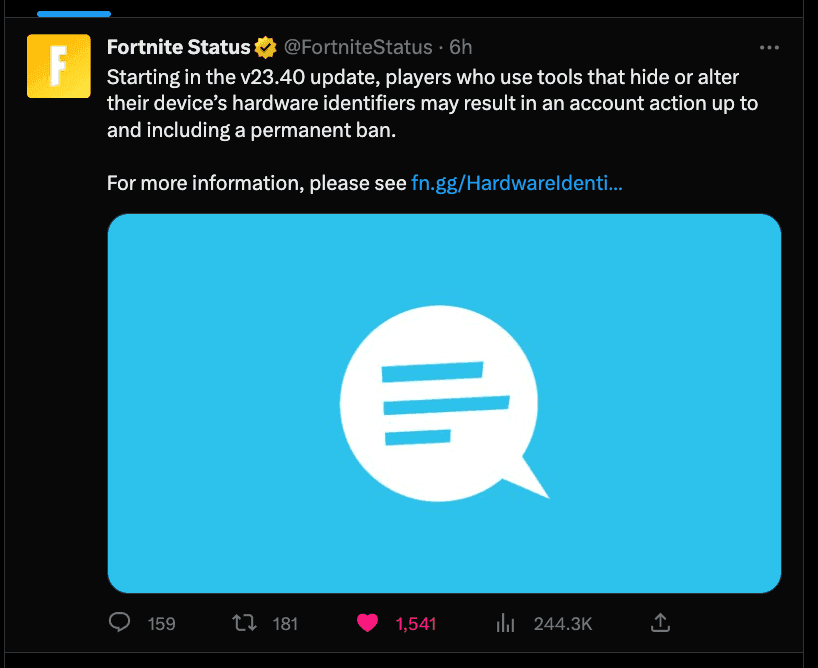
A cloud game service, also known as gaming on demand or gaming-as-a-service or game streaming, lets you run video games on a remote server and stream them directly to your device, or, more colloquially, playing a game remotely via the internet. It is recommended not to use any type of VPN cloud gaming service since Fortnite has strict restrictions against the use of VPN's on the platform.
If you choose to go this route, there are a lot of cloud gaming services to choose from. To name a few, you can check out
Xbox Game Pass Cloud Gaming
Nvidia GeForce Now
PlayStation Plus Premium
Amazon Luna
(source: https://www.cnet.com/tech/gaming/best-cloud-gaming-services/)
The above are not recommendations by any means and are only provided as information about what types of cloud gaming services are available. As with any service, you should always do your due diligence, research and check reviews before making any type of purchase decisions. And to be extra safe, stay away from VPN cloud gaming services.
BOOTCAMP
There is of course an option in which you could run Windows on your Mac by using Boot Camp. Bootcamp is a free virtualization program that comes pre-installed in macs with dual boot capability. If you are not sure if your Mac has bootcamp, go to Launchpad and search for Bootcamp. You will see it pop right up if your Mac has it.
In order to install Windows using Bootcamp, you will need to install a Windows ISO file (source: https://www.microsoft.com/en-us/software- download/windows10ISO) and purchase Windows software which starts at $139.99(USD) (for Windows 11) and can go as high as $199.99(USD) for Windows Pro. (source:https://www.microsoft.com/)
PARALLELS VIRTUAL MACHINE
Parallels Desktop for Mac provides hardware virtualization for Macintosh computers using Intel processors, as well as for Apple silicon-based Macintosh computers starting with version 16.5 in 2015. Since 2018, Parallels has been a Corel subsidiary. With Parallels, you can run third-party operating systems (OSes), such as Windows and Linux, as virtual machines (VMs). The cost of Parallels start at $99.99(USD) for a standard edition license. The price goes up depending on what edition you choose and how many licenses you need. (source: https://www.parallels.com/)
No matter which option you choose, your Mac must still be able to run Unreal engine efficiently. Here are the specs needed to run Unreal Engine on a Mac:
Recommended Hardware
Operating System : Latest MacOS Big Sur
Processor : Quad-core Intel, 2.5 GHz or faster
Memory : 8 GB RAM
Video Card : Metal 1.2 Compatible Graphics Card
Minimum Software Requirements
Operating System : macOS 10.14.6 Mojave
Developing with the Engine:
Xcode Version: 11.3.1
I hope this article gives you an idea of what type of specs you need for UEFN 2.0, whether you are on PC or a Mac!
If these tips helped you, We'd love to hear it! Feel free to share it with everyone in the community in the FCHQ DISCORD!

.
Comments
You must be logged in to comment.