Prepare for Impact! Learn How Battle Royale Updates Impact Creative Royale Maps
 PRO | DRAGON 🐉
BATTLE ROYALE UPDATES IMPACT FNC ROYALE MAPS
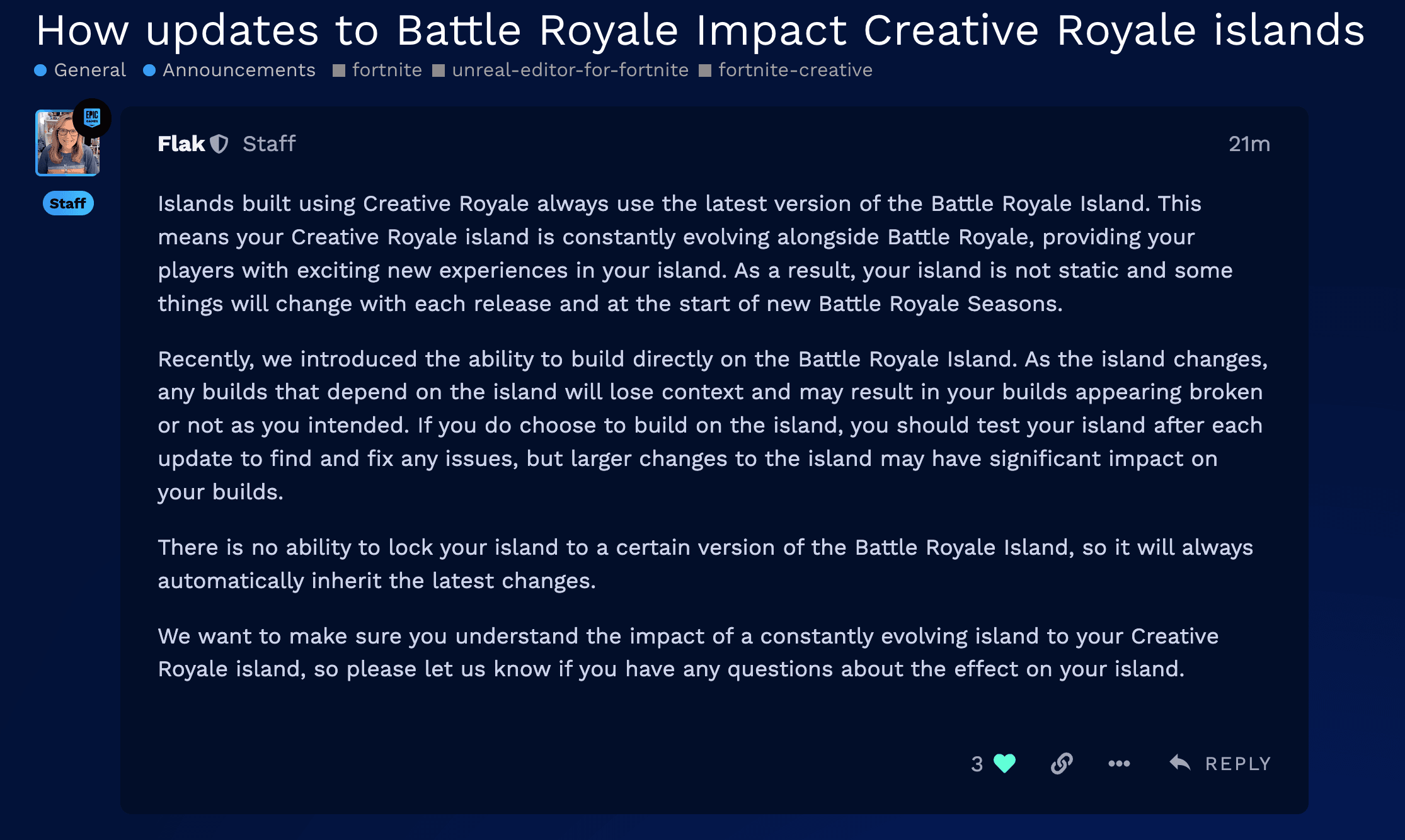
We're reaching out with some essential updates regarding the dynamic nature of the Fortnite Creative Royale islands. Announced today, August 24, 2023 by [EPIC] Flak, there's a fresh twist to the Creative Royale experience we think you should be aware of!
View the announcement here : How Updates to Battle Royale Impact Creative Royale Islands
The Ever-Changing Landscape
To sum it up, the islands you've built using Creative Royale will always synchronize with the latest version of the Battle Royale Island. That's right! Just like the Battle Royale mode, your islands won't be stagnant. Instead, they'll evolve, bringing new elements and surprises to players visiting your creation. But with evolution comes the inevitability of change. With every release and the onset of new Battle Royale Seasons, the face of your island may alter.
Building Directly on Battle Royale Island? A Heads Up!
An exciting feature was unveiled recently, granting creators the ability to construct directly on the Battle Royale Island. While this offers a wealth of possibilities, there's a note of caution. As the island undergoes its routine metamorphosis, builds reliant on specific island features might find themselves out of context. The outcome? Builds might seem broken or not align with your original vision.
And, for those choosing this path, regular checks after updates are a must. This will help you detect, and most importantly, rectify any issues. However, do bear in mind, grander island alterations could profoundly impact your constructions.
No Version Locks: A Continuous Journey
One aspect to remain mindful of: there's no provision to lock your island to a specific version of the Battle Royale Island. This means your island will persistently inherit the most recent modifications.
How You Can Prepare!
-
Regular Checks: After this update, be sure to perform regular checks to your island. This includes full walkthroughs and playtesting to ensure everything is as it should be.
-
Stay Updated: Keep an eye out for announcements regarding upcoming changes to the Battle Royale Island. Being informed will offer you a heads-up on potential alterations your Creative island might inherit.
-
Feedback Channels: Don't hesitate to use available platforms such as the FCHQ Discord or the EDC Forums to voice any concerns or seek clarifications. You'll find that the community is always eager to assist and ensure you're in the loop about the evolving nature of changes.
-
Flexibility: Given the fluid nature of the game, staying flexible and adaptive to changes will be key. Whether it's reimagining certain aspects of your island or considering a full redesign based on significant Battle Royale updates, adaptability will be your best asset.
By incorporating these steps, you'll be better prepared to handle the evolving landscape of Fortnite Creative. Keep creating, keep adapting, and most importantly, keep having fun!
Stay Inspired!

.
Comments
You must be logged in to comment.